

When the “Add to Cart” button is clicked in a WooCommerce store, a series of processes are triggered to add the selected product to the shopping cart. Here’s a step-by-step explanation from a WordPress developer’s perspective, including the relevant classes and methods used in WooCommerce:
Assuming the “Enable AJAX add to cart buttons on archives” checkbox is enabled in the settings, Woocommerce enqueues the wc-add-to-cart JavaScript on the front-end. The path to this file is /woocommerce/assets/js/frontend/add-to-cart.min.js
This JavaScript attaches an event listener to clicks on the “Add to Cart” button
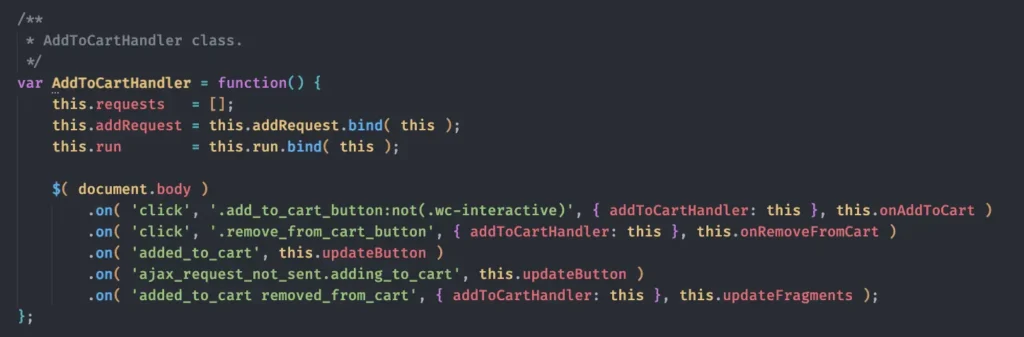
The event listener executes the onAddToCart function. This function does some checks and then sends a POST AJAX request to /?wc-ajax=add_to_cart

As you can see, the POST request contains the price, SKU, product ID and quantity. The script gets this info from the data attributes on the button.
Then the do_wc_ajax() method in the includes/class-wc-ajax.php class, runs the wc_ajax_add_to_cart action.

Then the add_ajax_events() method in the same class, runs the add_to_cart() method in the same class.
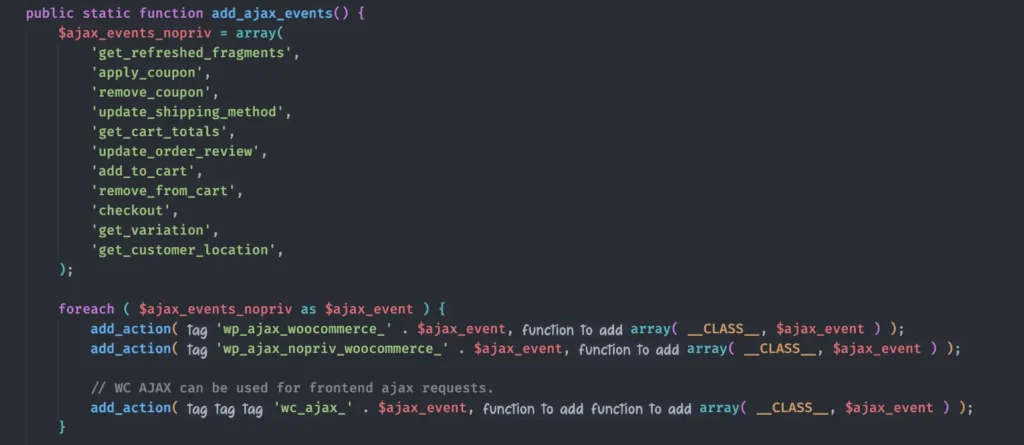
So far we learned that when the add to cart button is clicked (and the AJAX is enabled) the add_to_cart() method in the WC_AJAX class runs. This method does some validation and then runs the WC()->cart->add_to_cart() method.
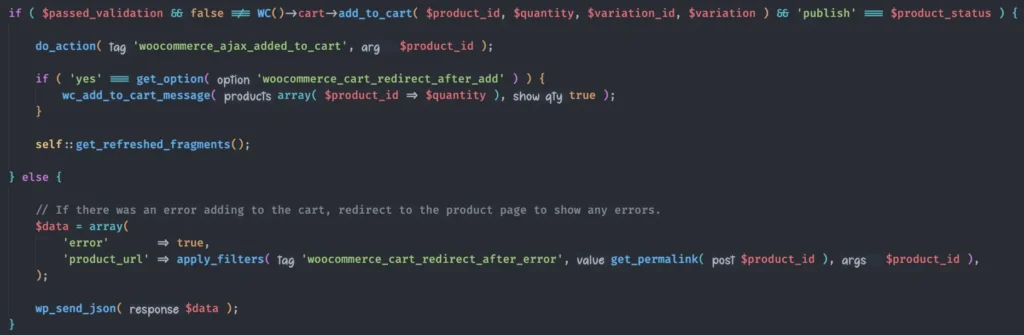
The add_to_cart() method in the WC_Cart class (includes/class-wc-cart.php) is where the majority of validations are done and the product gets added to the cart if validations pass. If the product successfully gets added to the cart, this function returns the item_key (cart_id) of that product in the cart, and if there’s any issues in adding the product to the cart, the function returns false.
What does the add_to_cart() method in WC_Cart class do
It generates an ID for the product to be used as the key for this product in the cart.

This cart_id is a hash like 3295c76acbf4caaed33c36b1b5fc2cb1 and for simple products only depends on the product ID.
Then it checks to make sure
- If the product is set to be sold individually, it doesn’t already exist in the cart
- The product is purchasable
- The product is in stock
- The stock is enough for the quantity being added to the cart
If all validations pass, then if the product already existed in the cart, it adds to the quantity of it and if the product doesn’t already exist in the cart, it adds it to the cart content.
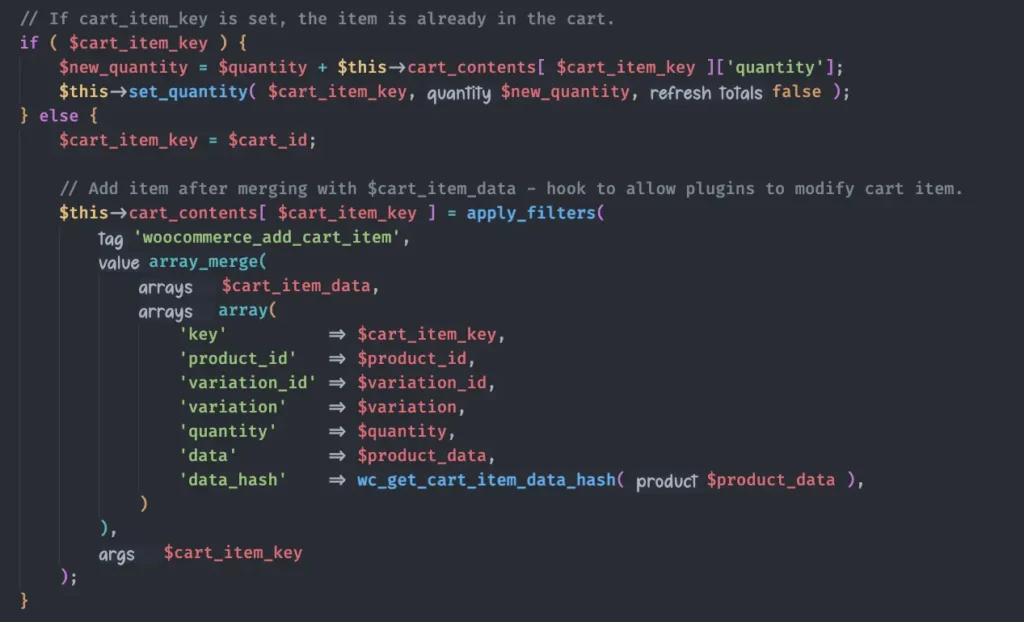
Then the function will trigger the woocommerce_add_to_cart action hook.

This hook is the one that we can use to add our custom validation rules when a product is added to the cart. For instance suppose we want to limit the quantity of all products in cart to 5 so the customers can buy a maximum 5 of each product. We can do it like this:
function limit_product_quantity_in_cart( $cart_item_key, $product_id, $quantity, $variation_id, $variation, $cart_item_data ) {

	// use the cart_item_key of the product to get its quantity in cart.
	$product_quantity_in_cart = WC()->cart->cart_contents[ $cart_item_key ]['quantity'];

	if ( $product_quantity_in_cart > 5 ) {

		// get the product object.
		$product = wc_get_product( $variation_id ? $variation_id : $product_id );

		// set the error message to be sent to the user.
		$message = sprintf( __( 'You cannot add more than 5 "%s" to your cart.', 'woocommerce' ), $product->get_name() );

		throw new Exception( sprintf( '<a href="%s" class="button wc-forward%s">%s</a> %s', wc_get_cart_url(), esc_attr( $wp_button_class ), __( 'View cart', 'woocommerce' ), $message ) );

	}
}

add_action( 'woocommerce_add_to_cart', 'limit_product_quantity_in_cart', 10, 6 );
Note that this hook only work when the product is added to cart from the single product page or the shop loop, but it doesn’t work when the quantity of the product is updated on the Cart page.
To limit the quantity of the products on the Cart page, you can use the woocommerce_store_api_product_quantity_maximum filter hook.
add_filter( 'woocommerce_store_api_product_quantity_maximum', 'set_maximum_quantity_on_cart_page', 10, 3 );

function set_maximum_quantity_on_cart_page( $value, $product, $cart_item ) {
	return 5;
}